
Location sharing has become one of the most crucial feature today. Among all the navigation services, Google Maps has led this evolution with a robust live location sharing feature. Have you ever wondered how Google Maps live location sharing functions or how you can use it to its fullest. This comprehensive guide covers every angle, including privacy tips, illustrated step-by-step instructions, and insights into the underlying technology.
What Is Google Maps Live Location Sharing?
Google Maps Live Location is a feature that uses the GPS on your device to track your location continuously and share your real time location with whoever you have chosen to share it with. Once you activate it, your contacts (with whom you have shared the live location) will be able to get updated with your location and your movement.
The feature is available on Google Maps on both Android and iOS devices. This makes it easier to coordinate pickups, ensure safety while en route, or keep loved ones informed.
How Google Maps Determines Your Location?
Google Maps uses several data streams to find your exact location.
- GPS: The Global Positioning System provides the most accurate data, tracking your device’s latitude and longitude down to a few meters.
- Wi-Fi Networks: Even when Wi-Fi is off, your device uses nearby Wi-Fi networks’ details (like the BSSID) to triangulate position, especially indoors where GPS struggles.
- Cell Towers: For areas with limited Wi-Fi or GPS, cell tower triangulation helps approximate your location.
- Bluetooth and Sensors: On modern smartphones, additional sensors and Bluetooth beacons further fine-tune accuracy.
This hybrid approach makes sure that your “blue dot” on Google Maps is accurate, whether you’re in a building, underground, or traveling in rural areas.
When you enable live location sharing, Google sends your real-time coordinates from your device (not a static spot) to the sharing recipients at regular intervals. The map updates instantly as you move. This assures an accurate, up-to-date positioning. If you lose connectivity temporarily, your last known location is displayed until a refresh is possible.
How to Share Your Live Location on Google Maps – Step by step Guide
Sharing your live location on Google Maps is quite easy and does not need you to have any special technical expertise.
Step 1. Launch Google Maps
Open Google Maps on your phone. Make sure that you have enabled the location settings on your device. Check if the Blue dot is pointing to your current location.
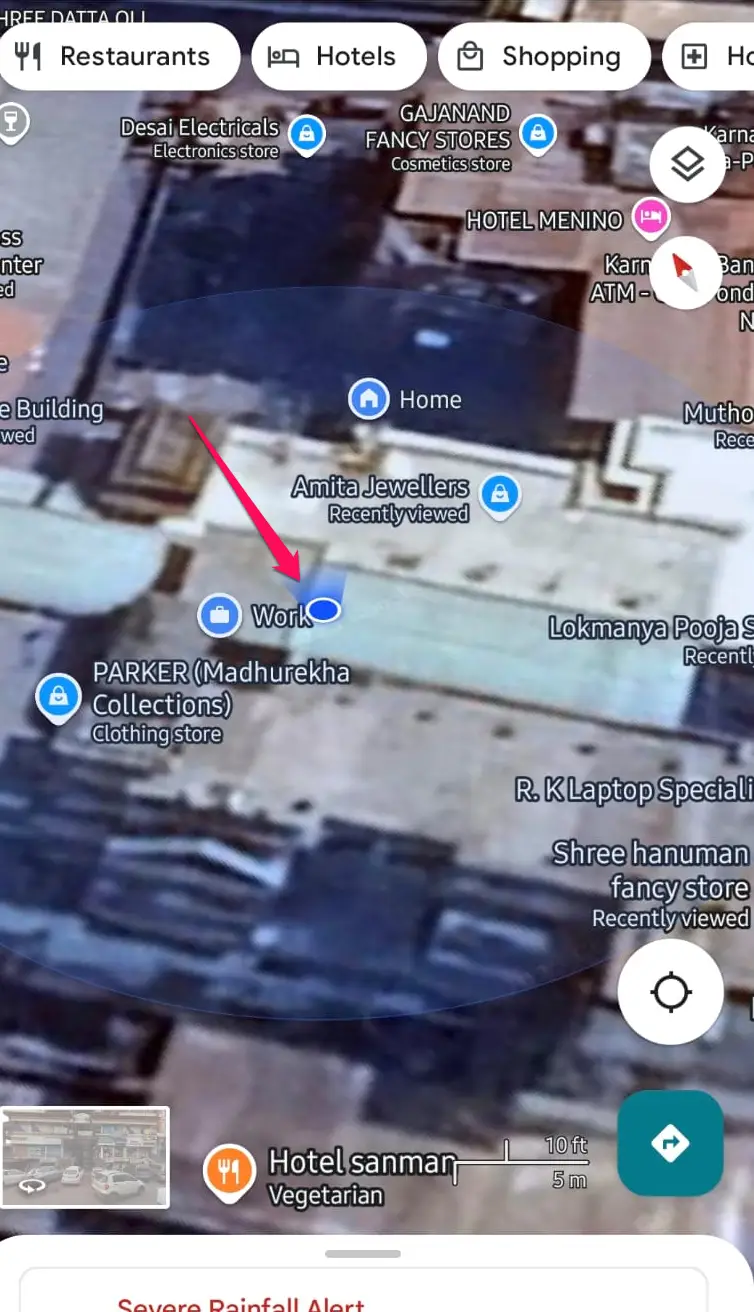
Step 2. Tap the Blue Dot or Menu
This will help you pinpoint your location.
- Tapping on Blue dot will bring up the following screen.
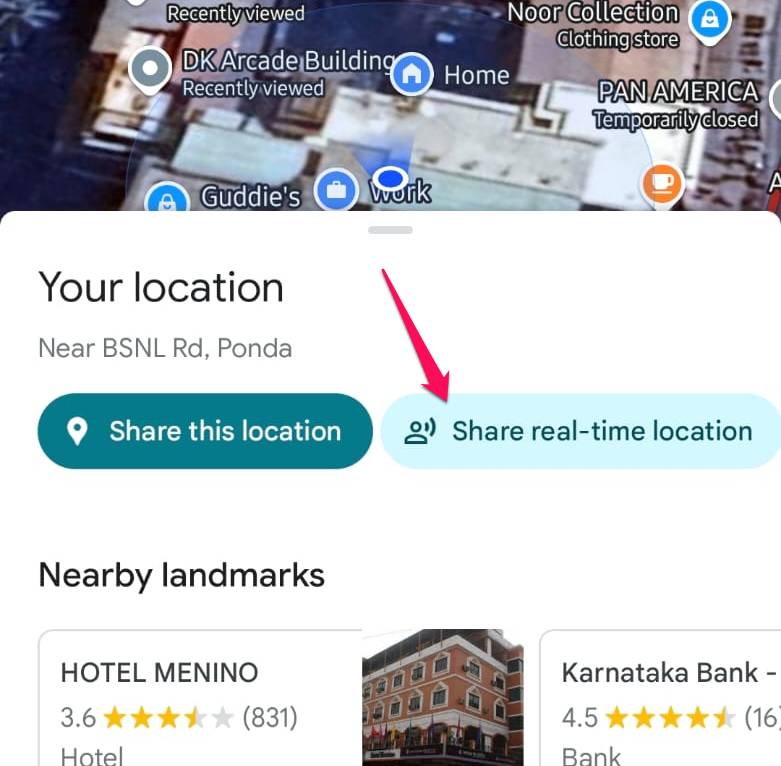
Click on Share Real time location
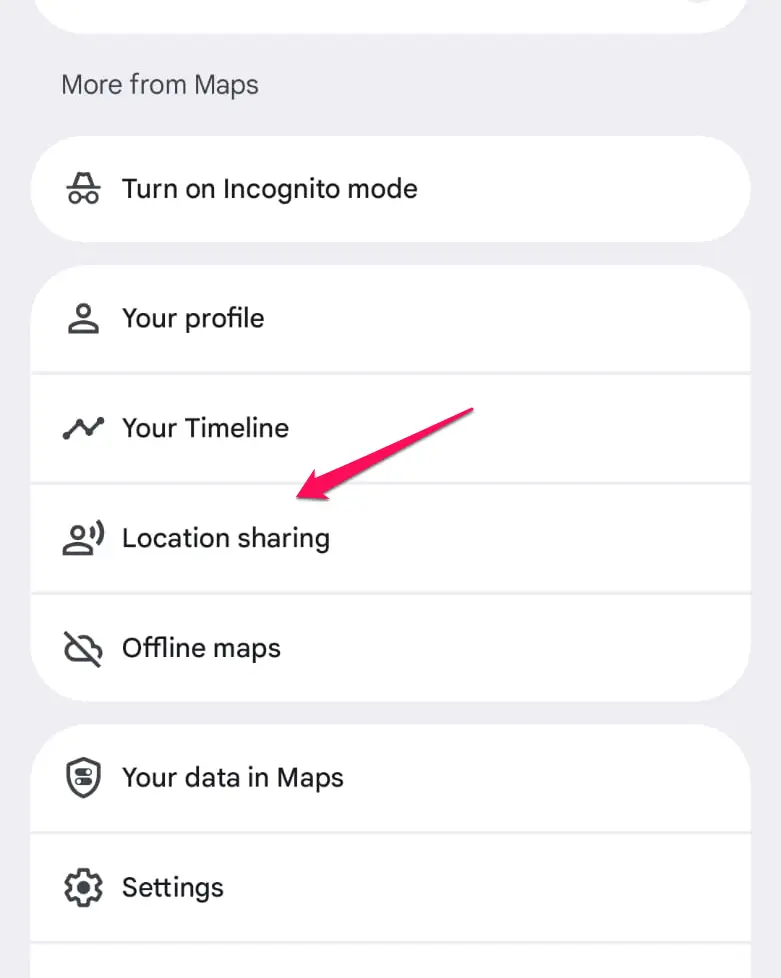
- Tap on your profile image and then from the menu, tap on Location Sharing
On the next screen, tap on New Share
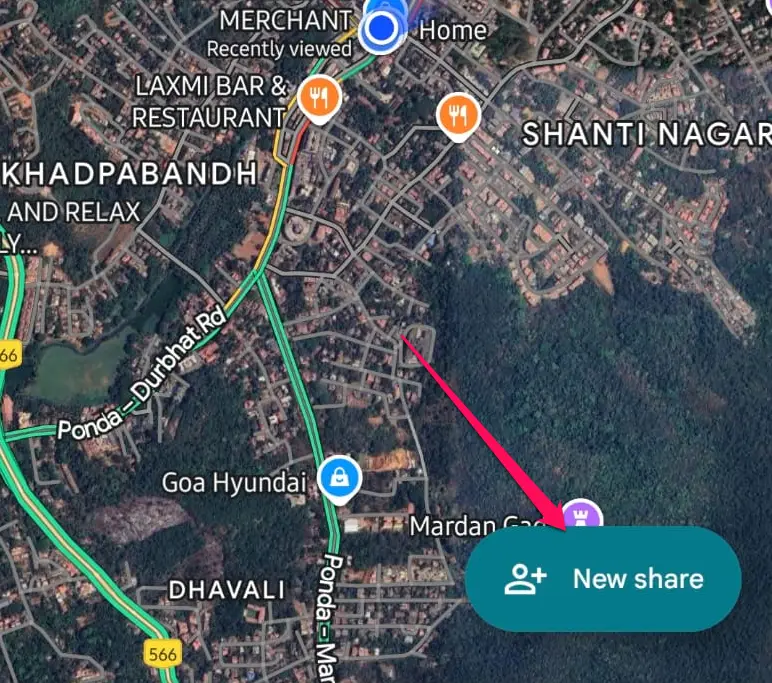
Step 3. Choose recipients and duration
Irrespective of which option you use in step 2 above, you will be lead to the following screen.
Select the duration for which you want to share your live location. If it is with your family members, you can choose to enable it until you decide to turn it off.
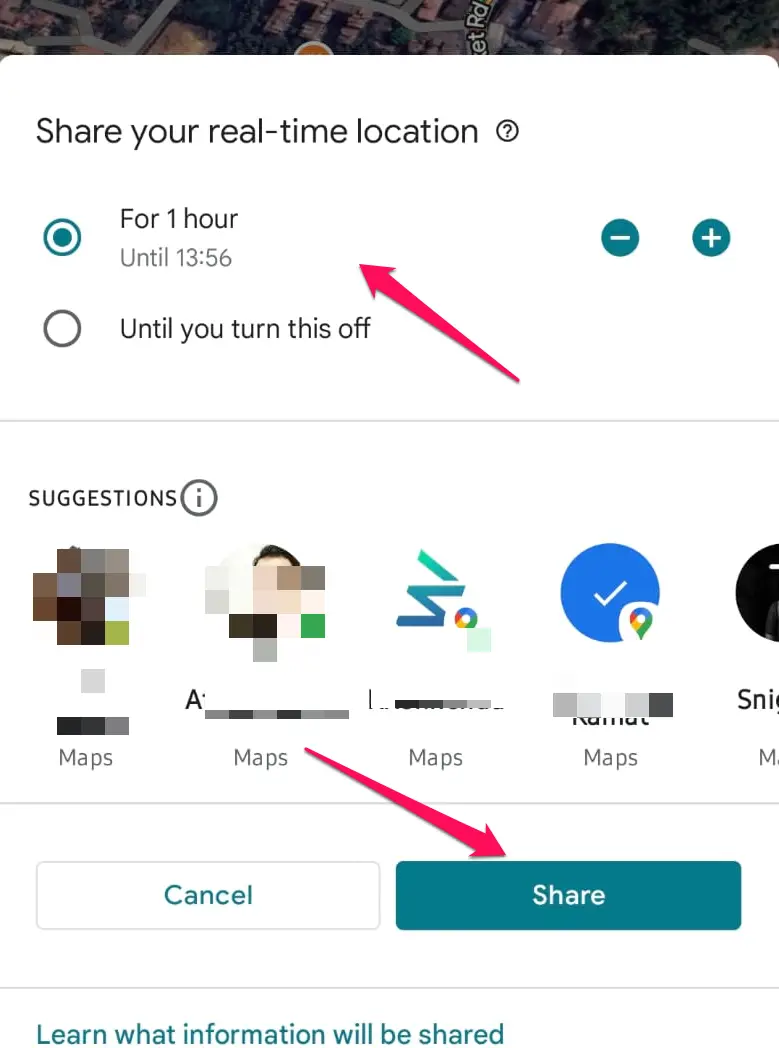
Select the recipients with whom you want to share your love location.
Step 4. Confirm and Share
Confirm your preferences and share your location.
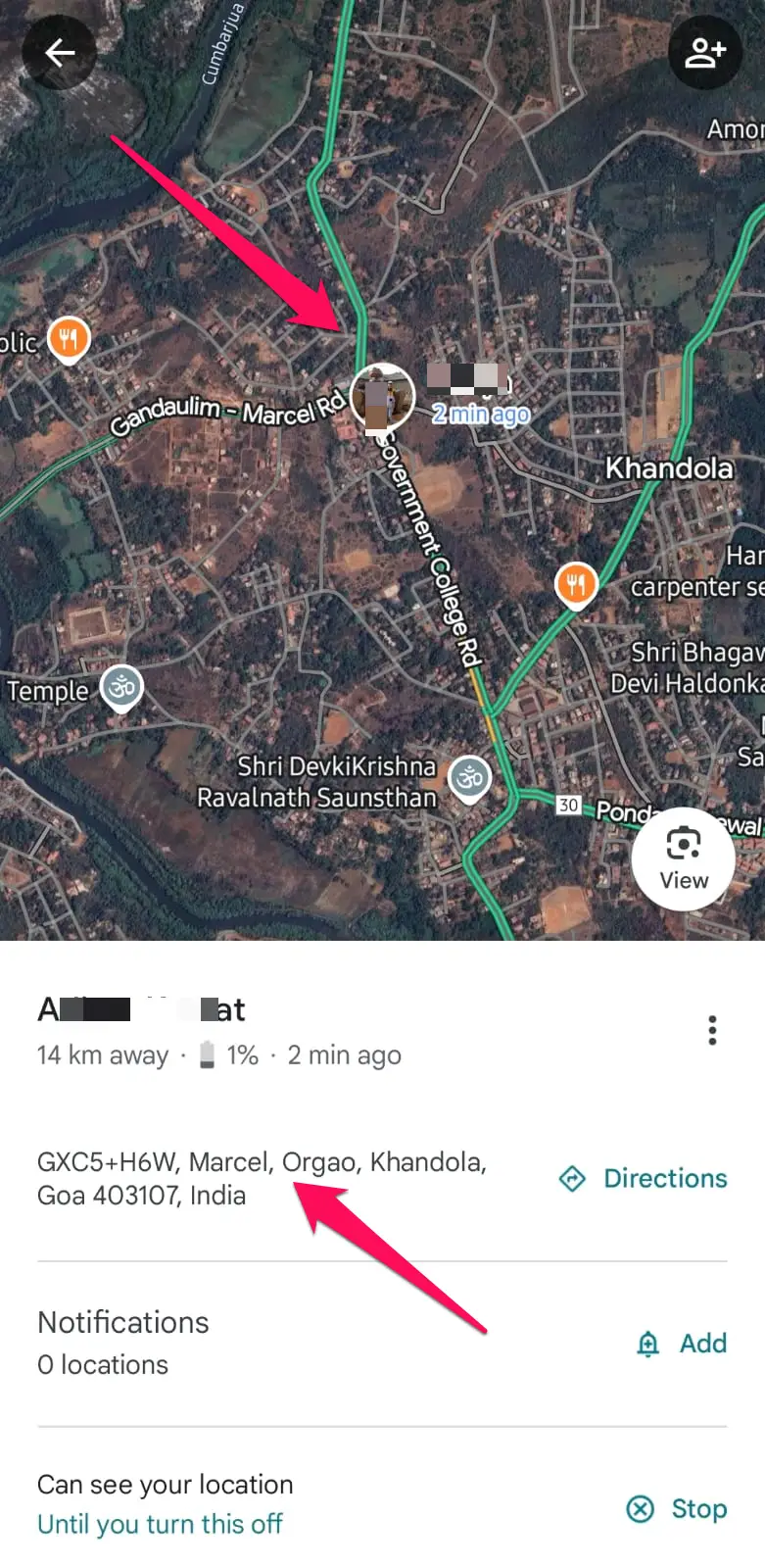
That does it. The recipients can access your live location by going into Profile -> Location Sharing and tapping your name. It will provide them your live location and track your movements.
Privacy and Safety: Is It Safe?
Sharing live location is indeed a very helpful feature. But, it does raise a few privacy concerns as well.
However, Google lets you address these concerns through the following steps –
- Time Limits: Specify exact duration for sharing, so you remain in control.
- Manual Stop: Turn off sharing at any time with a single tap.
- Contact Controls: Choose with whom you share location, no random people have access.
- Secure URLs: Shared links are unique and hard to guess.
Some common issues in Google Maps Live location and fixes
While using Google Live Location feature, there are a few hitches that may make you get annoyed.
Here we go with a few hiccups in Google Maps Live Location and how to fix them –
Location Not Updating
- Check if your device’s location services and internet connection are switched on.
- Ensure Google Maps has location permissions.
- Restart the app or device if updates are delayed.
Contacts Not Receiving Links
- Confirm you sent the link to the correct contacts.
- Ask recipients to check spam/promotions folders.
Accuracy Problems
- Move to an open area for better GPS signal.
- Toggle Wi-Fi on for supplemental accuracy, even if not connected.
Conclusion
Google Maps Live Location Sharing is a powerful tool that goes far beyond navigation, offering peace of mind and coordination for every user. By following the steps above and being mindful of privacy settings, you can get the most out of this innovative feature, whether you’re traveling with friends, checking in with family, or improving business logistics.





Add Comment