

A MySQL database can become corrupted due to various factors, such as unexpected system or server shutdown, hardware failure, software bugs, etc. When a database file is corrupted, you may encounter errors while trying to access the tables or running queries. To check, repair, and analyze the tables, MySQL comes with mysqlcheck – a command-line utility. In this article, we will discuss how to use the mysqlcheck utility to check and repair MySQL database tables, including how to use the mysqlcheck repair database command, and what to do if it fails.What is mysqlcheck and How it Works?
In MySQL Server, mysqlcheck is a command-line utility that is used to perform database maintenance tasks. It requires the MySQL Server (mysqld) to be actively running. This means you do not have to take your entire database server offline to perform the maintenance. It checks, repairs, optimizes, and analyzes tables in a MySQL database.
When you use mysqlcheck to REPAIR, OPTIMIZE, or ANALYZE, the table is locked completely. It becomes entirely unavailable to other applications for both reading and writing until the process completes.
If the table on which you are running this command has millions of rows, the process will take a long time. Also, the mysqlcheck command can take a lot of time if you use the –databases or –all-databases option to process all tables across one or more databases.
How to Use mysqlcheck to Repair MySQL Database?
First, make sure your MySQL Server is running. To check this, run the following command in your system’s Command Prompt (CMD) window:
sc query MySQL80
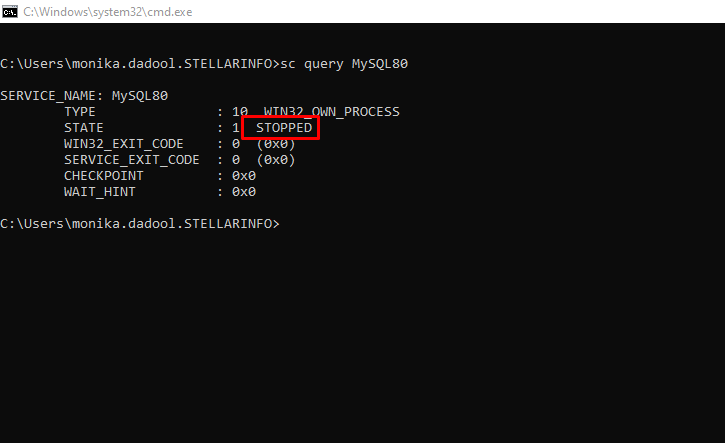
If the service is STOPPED, you can run the following command to start it:
net start MySQL80
To start or stop the server, you must have admin credentials. Else, you may encounter the following error:
System error 5 has occurred.
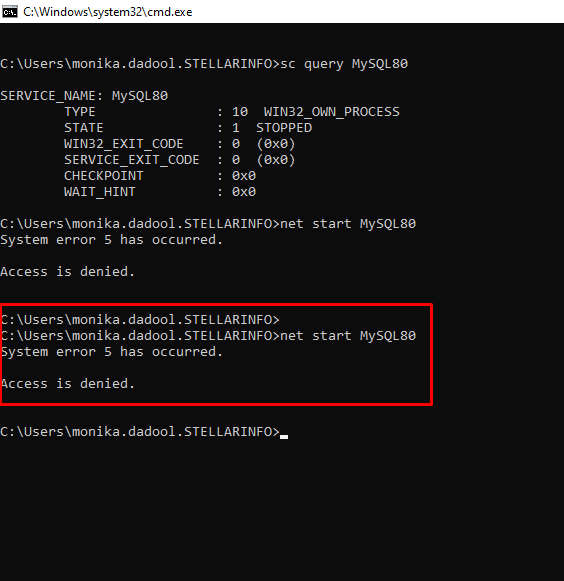
Once you start the server, use the following syntaxes to check the MySQL database:
mysqlcheck [–check] db_name [tbl_name …] (Checks specific tables or the entire database if no tables are specified)
mysqlcheck [–check] –databases db_name … (Checks entire named databases)
mysqlcheck [–check] –all-databases (Checks all tables in all databases)
You can also add specific CHECK options, like –check-only-changed to check only tables that have changed since the last check, and –check-upgrade to invoke CHECK TABLE with the FOR UPGRADE option.
If the command shows OK, the table is healthy and requires no action. If it displays Table is marked as crashed, you need to repair it.
To repair the database, run this command in your system’s CMD window:
mysqlcheck –repair –databases db_name …
To repair specific tables or all tables in the specified database, run the following command:
mysqlcheck –repair db_name [tbl_name …]
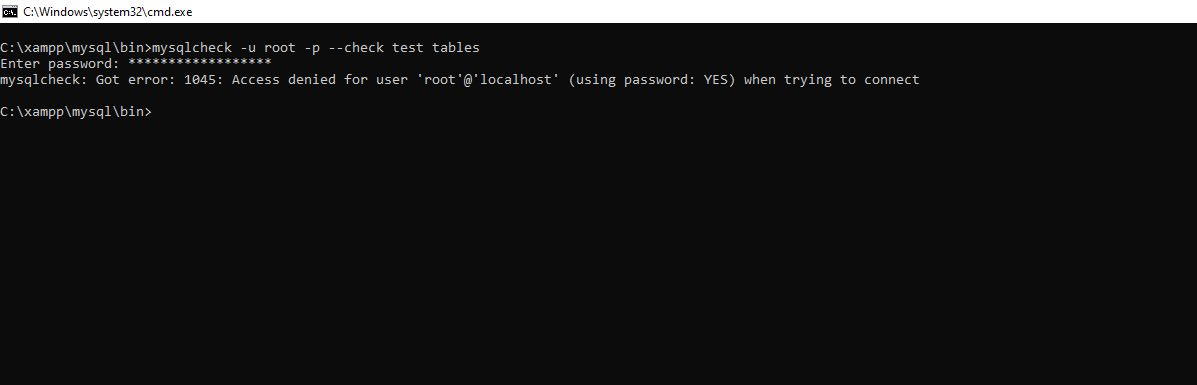
What to Do if mysqlcheck Fails?
If your MySQL server is not running or the utility fails to repair the database tables, you can use alternative solutions.
For MyISAM tables, you can run myisamchk –recover table_name.MYI to fix them. If that fails you can try –safe-recover flag with the myisamchk command (see the below example).
myisamchk –safe-recover table_name.MYI.
Note: The command above does not support repairing partitioned tables.
For InnoDB tables, you can force the MySQL Server to start by adding innodb_force_recovery = 1 to your MySQL configuration file (my.cnf). If the server still fails to launch, you may need to gradually increase this value up to 6. It is to be noted that higher values (4 or above) can cause data loss. Once the server starts, use the dump and reload method to rebuild and repair the tables.
If the repair methods discussed above do not work, you can use Stellar’s online MySQL repair service to fix your database directly via a web browser. This service allows you to repair the database of up to 500 MB in size for free, without needing to install MySQL Server. It supports both InnoDB (.ibd, ibdata1) and MyISAM (.MYD, .MYI) file formats. You can upgrade to the premium version for repairing file of up to 5 GB.
For repairing MySQL databases without any file size limitations, you can use Stellar Repair for MySQL. This desktop-based specialized MySQL repair software can quickly repair corrupted databases (InnoDB and MyISAM) of any size or in any state. It can restore all the objects, including partitioned tables, indexes, and foreign keys, with complete data integrity. It can help resolve common errors associated with database corruption.
Conclusion
You can repair MySQL tables using mysqlcheck utility. Above, we have explained how to use it. If it fails to repair the database, then the best solution is to use an advanced MySQL repair tool, such as Stellar Repair for MySQL. It can recover data from corrupt MySQL database file of any size and without modifying the original data. The tool supports MySQL Server versions from 5.0 to 5.7.44, 8.0.40 to 8.0.44, and 9.4.0 to 9.5.0, and MariaDB up to 11.8.3. You can download the free demo version of this tool to evaluate its features and functionality.